Social Media Share Button
- September 16, 2010
Because a great content needs to be seen by all...
Social media buttons make it easy for users to share your content across social platforms, helping extend your reach beyond your website. When visitors find your content valuable, these buttons allow them to share it instantly with their network, increasing visibility and engagement. This not only drives additional traffic to your site but also acts as a cost-effective marketing strategy, enabling you to gain exposure and potential visitors without any extra advertising spend.
Social Media Share Button also look at your page to find a relevant Title, Description and Image etc. You should use <title> and <meta> tags to your page to help them to find these information.
How to add Custom Share Buttons
If you prefer more control over your social sharing setup, you can add platform-specific share buttons such as Facebook, Twitter, or Digg individually. This approach allows you to customize the appearance and functionality of each button, ensuring they align with your website design while targeting the platforms most relevant to your audience.
Add Google +1 Button
Google: +1 buttons let people who love your content recommend it on Google search. Add +1 to your pages to help your site stand out.
<script src="https://apis.google.com/js/plusone.js"> </script>
<g:plusone size="tall" href="Your Page URL"></g:plusone>
Add Facebook Share Button
Facebook: The Share Button is the easiest way to allow your content to be shared on Facebook.
<div id="fb-root"></div>
<fb:like href="Your Page URL" send="false" layout="box_count" show_faces="false">
</fb:like>
<script src="http://connect.facebook.net/en_US/all.js#appId=Your App ID&xfbml=1"></script>
Add Twitter Share Button
Twitter: Add this button to your website to let people share content on Twitter without having to leave the page. Promote strategic Twitter accounts at the same time while driving traffic to your website.
<a href="http://twitter.com/share" class="twitter-share-button"
data-url="Your Page URL" data-count="vertical"
data-via="Your Twitter ID">Tweet</a>
<script src="http://platform.twitter.com/widgets.js"></script>
Add Digg Share Button
Digg: Digg is a place for people to discover and share content from anywhere on the web.
<script>
(function() {
var s = document.createElement('SCRIPT'),
s1 = document.getElementsByTagName('SCRIPT')[0];
s.type = 'text/javascript';
s.async = true;
s.src = 'http://widgets.digg.com/buttons.js';
s1.parentNode.insertBefore(s, s1);
})();
</script>
<!-- Medium Button -->
<a class="DiggThisButton DiggMedium" href="Your Page URL"></a>
Add Google Buzz Share Button
Google Buzz: Help people share stuff from your website in Google Buzz.
<a title="Post to Google Buzz" class="google-buzz-button"
href="http://www.google.com/buzz/post" data-button-style="normal-count"
data-url="Your Page URL"></a>
<script src="http://www.google.com/buzz/api/button.js"></script>
Add StumbleUpon Share Button
StumbleUpon: Quick and Easy Badge Setup.
<script src="http://www.stumbleupon.com/hostedbadge.php?s=badge5&r=Your Page URL">
</script>
Add reddit Share Button
reddit: The reddit button is the smart way to get your content submitted to and discussed on reddit.
<script src="http://reddit.com/static/button/button2.js"></script>
Add Sphinn Share Button
Sphinn: Submit stories to Sphinn easily by bookmarking them or clicking on a bookmark button in your browser.
<script src="http://sphinn.com/evb/buttons.php?b=lg"></script>
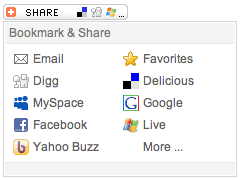
There are many third-party platforms that offer customizable Share buttons, allowing you to easily integrate social sharing functionality into your website. These tools enable visitors to share your content across popular social networking platforms, enhancing user engagement, increasing content visibility, and driving additional traffic through organic sharing.
- AddThis.com
- AddToAny.com
- ShareThis.com
- Onlywire.com
Adding social media share buttons to your website is simple and requires minimal effort. Most platforms provide ready-to-use code snippets and step-by-step instructions, allowing you to quickly integrate these buttons into your pages without advanced technical knowledge. This makes it easy to enhance user engagement and encourage content sharing across social networks.

Joydeep Deb
Senior Digital Marketer & Project Manager
Joydeep Deb is a results-driven Senior Digital Marketer and Project Manager with deep expertise in Lead Generation and Online Brand Management. An IIM Calcutta Alumni with an MBA in Marketing, he specializes in SEO, SEM (PPC), and Web Technologies.
Based in Bangalore, Karnataka - India.