Tiny Images, Big Impact: Optimizing PNGs for Speedy Sites
- Tuesday, February 11, 2025
Picture this: You click on a website link, and instead of being greeted with crisp, fast-loading visuals, you’re stuck staring at a spinning wheel. Frustrating, right? Slow-loading pages are the quickest way to lose a visitor, and the culprit is often hefty, oversized images.
Large PNG files, while great for high-quality visuals, can weigh down your website, increasing page load times and frustrating users. The good news? Resizing PNG images is a simple yet powerful way to turbocharge your website’s speed and enhance the user experience. Thanks to tools like CapCut Commerce Pro, optimizing images is easier than ever.
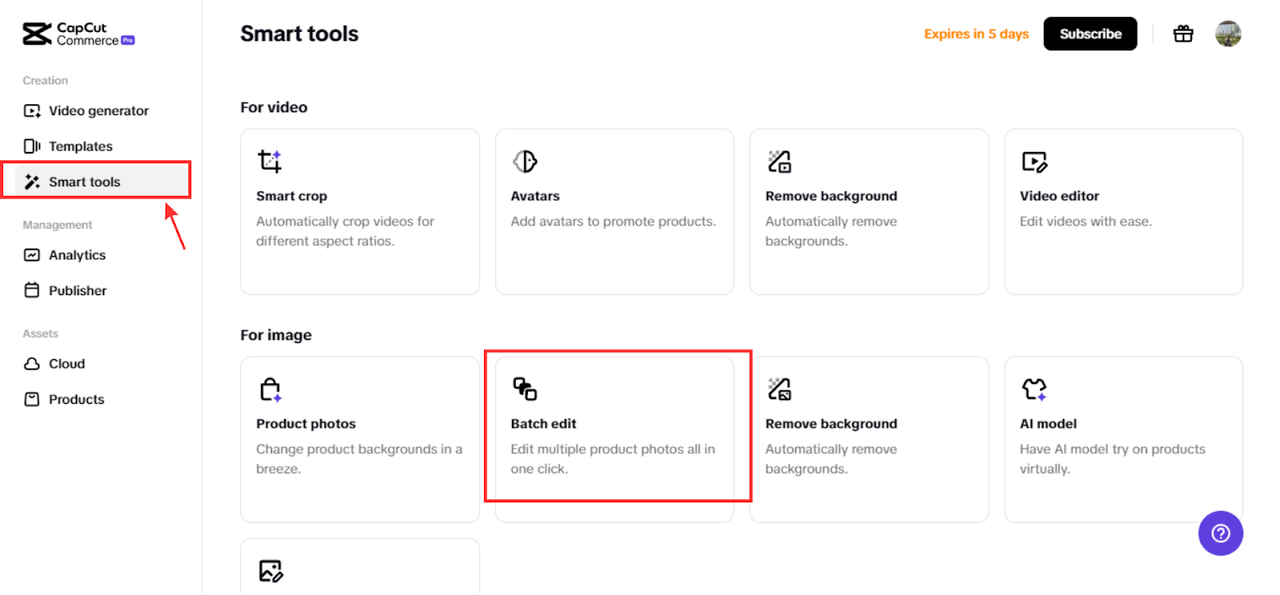
Let’s dive into why resizing PNGs is a game-changer for website performance.
The Impact of Large Images on Website Performance
Images may be worth a thousand words, but when they’re oversized, they also add unnecessary weight to your webpage. Here’s why that’s a problem:
- Page Weight: Every element on your webpage contributes to its overall size, or “page weight.” Large images can account for a significant chunk of this, slowing down load times.
- Bounce Rates and Conversions: A slow-loading website isn’t just annoying—it’s costly. Studies show that even a one-second delay can increase bounce rates and reduce conversions.
- Search Engine Rankings: Google’s algorithms prioritize fast websites. If your page speed is sluggish, you’re not just losing visitors—you’re losing visibility on search engines.
- Core Web Vitals: Metrics like Largest Contentful Paint (LCP) measure loading performance. Oversized images can negatively impact these metrics, hurting your SEO and user satisfaction.
The Role of PNG Image Size in Loading Speed
Why does PNG size matter so much? It all boils down to dimensions, file size, and delivery speed.
- Dimensions and File Size: Larger dimensions mean more pixels and more pixels mean a heftier file size. Resizing your images to fit their intended display dimensions can dramatically reduce load times.
- Bandwidth Matters: When users load a webpage, their device downloads all its elements, including images. Larger images require more bandwidth, making the process slower, especially on mobile networks.
- Device Optimization: Different devices have different display requirements. Resizing PNGs for desktops, mobiles, and tablets ensures fast loading and optimal visual quality across all platforms.
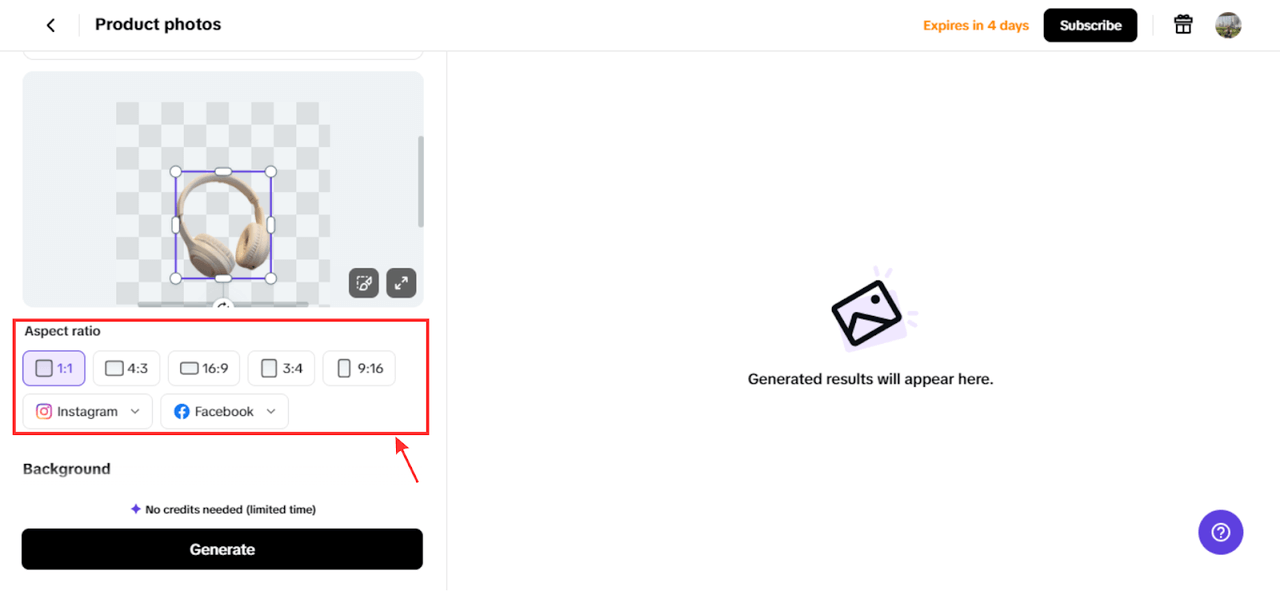
Pro tip: Tools like CapCut Commerce Pro can be used to resize PNG images and let you fine-tune image dimensions effortlessly, saving you from technical headaches.
Resizing Techniques for Speed Optimization
Optimizing PNGs for speed doesn’t mean you have to compromise on quality. It’s all about employing smart resizing techniques to create lightweight, high-performing images that maintain their visual impact. Here are some tried-and-true methods to resize PNGs effectively while boosting your website’s load time:
Downsampling
Downsampling reduces the number of pixels in your image, minimizing file size while retaining quality for the displayed dimensions. For example, if your PNG is 4000 x 4000 pixels but only needs to appear at 1000 x 1000 pixels, downsampling can cut down unnecessary data, saving storage space and improving loading speed. The best part? It doesn’t compromise the image’s clarity when viewed at its intended size.
Compression
Compression is your go-to tool for shrinking file sizes without degrading the overall appearance of your images.
- Lossless Compression: This retains the original quality, making it ideal for logos, icons, and images with transparent backgrounds.
- Lossy Compression: Reduces file size significantly by sacrificing a bit of quality, perfect for less critical visuals like background elements. Tools like TinyPNG can make this process simple and effective.
Progressive Rendering
While progressive rendering is often associated with JPEGs, similar strategies can enhance PNG performance. This technique allows parts of your image to load progressively, displaying a low-resolution version first and refining the details as the page fully loads. It ensures a smoother user experience, especially on slower connections.
Bonus Tip: Use Optimization Tools
Software CapCut Commerce Pro, or dedicated PNG optimizers, can streamline these techniques, automating the process for maximum efficiency.
By implementing these strategies, you can reduce load times, improve user experience, and maintain a professional, polished look across all your platforms.
Best Practices for Resizing for Speed
Follow these golden rules to strike the perfect balance between speed and quality:
- Choose the Right Format: Use PNGs for images that need transparency or sharp detail (e.g., logos, icons). - Opt for JPEGs for photos where smaller file sizes matter more than transparency.
- Implement Lazy Loading: Why load all images upfront when users may only see a few? Lazy loading ensures images load only when they’re about to appear on the screen, reducing initial page load time.
- Leverage Browser Caching: Caching stores image data in the user’s browser, so repeat visitors don’t have to reload the same images every time. This dramatically speeds up the browsing experience.
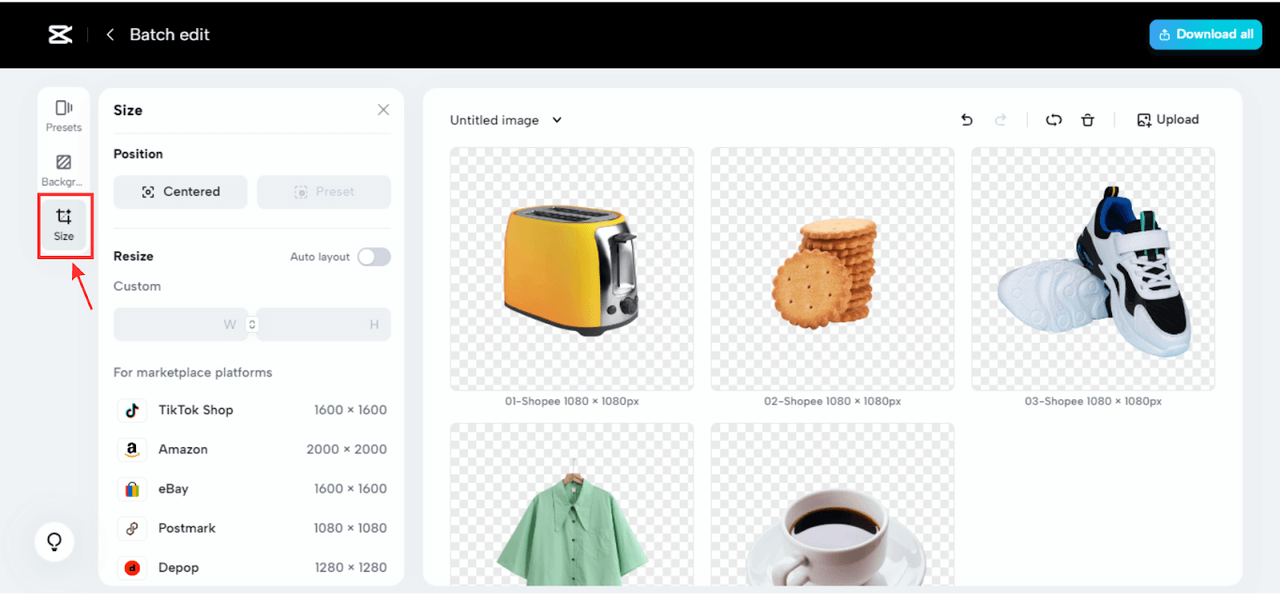
Tools and Techniques for Resizing and Optimization
You don’t have to be a tech wizard to resize and optimize PNGs. Here are some handy tools and techniques to simplify the process:
- Image Optimization Plugins: For CMS platforms like WordPress, plugins such as ShortPixel or EWWW Image Optimizer automatically compress and resize images as you upload them.
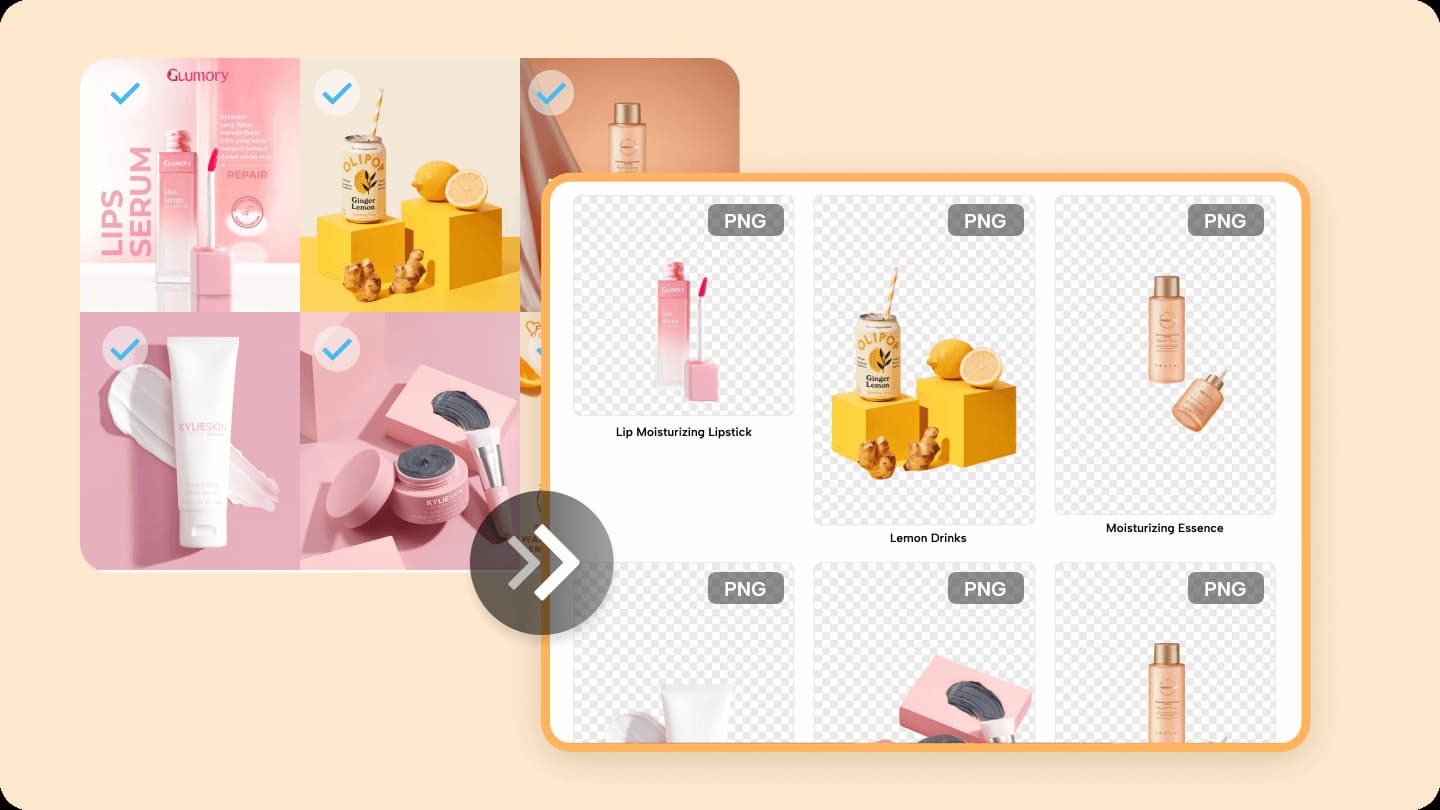
- Online Tools and Services: Cloud-based tools offer user-friendly interfaces for resizing and compressing images. Many of these platforms allow batch processing, saving you time and effort.
- Advanced Tools for Professionals: For those looking for extra control, a lot of software provides robust resizing and optimization features.
Conclusion
Resizing PNG images isn’t just a technical task—it’s a strategic move to boost website performance, enhance user experience, and improve search engine rankings. With techniques like downsampling, compression, and lazy loading, you can transform heavy, slow-loading images into sleek, speedy visuals that captivate users.
By incorporating tools like CapCut Commerce Pro and leveraging online resources like resizing PNG, optimizing images becomes a breeze.
Remember, a fast website isn’t just about keeping users happy—it’s about staying competitive in the digital landscape. So roll up your sleeves, start resizing, and watch your website soar to new heights!